Is It Possible to Scan a QR Code from Webcam Without Installing Any App?
In today’s fast-paced digital world, QR codes have become a staple for quickly accessing websites, sharing contact information, or even making payments. However, many people often wonder if it’s possible to scan a QR code from webcam without downloading any software. The good news is that modern technology makes this not only possible but also extremely convenient. Using an online QR code scanner, you can instantly decode QR codes directly from your browser, with no installations required.
Content
Understanding QR Codes
Before diving into the methods, it’s essential to understand what a QR code is. QR stands for Quick Response, and these codes are two-dimensional barcodes that can store various types of information such as URLs, text, Wi-Fi credentials, or contact details. When scanned, a QR code directs the user to the encoded information instantly. Unlike traditional barcodes, QR codes can store significantly more data and are readable from multiple devices and angles.
The Convenience of Using an Online QR Code Scanner
Traditionally, scanning QR codes required a dedicated app installed on a smartphone. While these apps work well, they can become cumbersome if you need to scan codes on a laptop or desktop. This is where an online QR code scanner comes in handy. Platforms like qrscanner.org allow you to scan QR codes from webcam in real-time, all through your web browser.
By using an online scanner, you bypass the need for software installations, saving storage space and ensuring accessibility across devices. Whether you are on a Windows laptop, Mac, or Chrome book, online scanners offer a seamless experience for both personal and professional use.
How to Scan a QR Code From Webcam
Scanning a QR code using your webcam is straightforward. Here’s a step-by-step guide:
- Open your preferred browser and go to a trusted online QR code scanner like qrscanner.org.
- Allow the website to access your webcam. Most modern browsers will prompt you with a security permission pop-up.
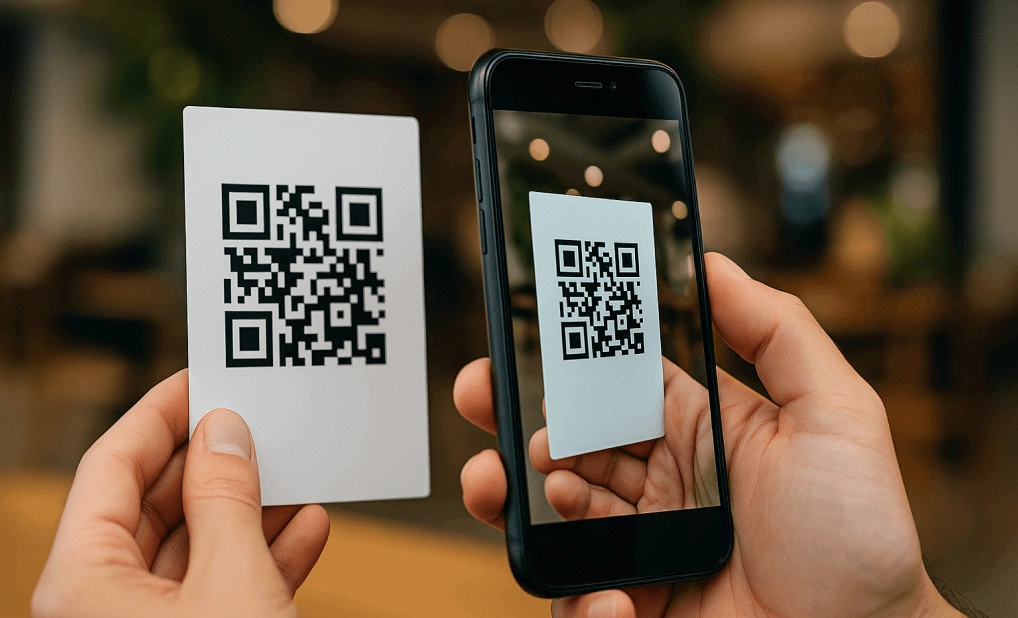
- Position the QR code within the webcam’s frame. The scanner will automatically detect and decode the QR code.
- Once scanned, the content of the QR code, such as a URL or text, will be displayed immediately.
This process is quick, secure, and doesn’t require any app downloads. It’s especially useful in environments where installing new software is restricted, like in workplaces or public computers.
Benefits of Using Online QR Code Scanners
Using an online QR code scanner to scan QR codes from webcam comes with multiple benefits:
- No Installation Needed: Save time and storage by using a browser-based tool.
- Cross-Device Compatibility: Works on desktops, laptops, and even tablets.
- Instant Access: Get immediate results without the hassle of opening apps or syncing devices.
- Privacy and Security: Trusted online scanners like qrscanner.org process scans locally in your browser, ensuring your data is not stored on external servers.
Common Uses for Webcam QR Code Scanning
The ability to scan a QR code from your webcam opens up numerous practical applications:
- Business and Marketing: Instantly scan QR codes at trade shows, presentations, or conferences.
- Education: Teachers and students can quickly access online resources or assignments.
- Event Management: Scan tickets or passes encoded in QR codes.
- Everyday Tasks: Connect to Wi-Fi, access menus, or download files without typing long URLs.
Why choose qrscanner.org?
Among the many online QR code scanners, qrscanner.org stands out for its simplicity, speed, and reliability. It supports real-time scanning using your webcam and even allows users to decode QR codes from images uploaded from your computer. Its clean interface and free access make it a preferred choice for anyone looking to scan QR codes without installing any app.
Tips for Accurate Scanning
To ensure the best results when using a webcam QR scanner:
- Make sure the QR code is well-lit and positioned clearly in front of the camera.
- Avoid tilting the code at extreme angles.
- Keep the camera steady until the QR code is detected.
- Use a high-resolution webcam if possible for better detection.
By following these simple tips, you can achieve fast and accurate scans every time.
Conclusion
The answer to the question, “Is it possible to scan a QR code from webcam without installing any app?” is a definite yes. With the rise of browser-based tools like qrscanner.org, scanning QR codes has never been easier or more accessible. Whether for personal, educational, or professional use, online QR code scanners offer a convenient, fast, and secure solution. Next time you encounter a QR code, you can simply open your browser, access a reliable online scanner, and get the information you need — no downloads required.

I’m Aurelia Brown! I blog about tech, how to use it, and what you should know. I love spending time with my family and sharing stories of the day with them.